
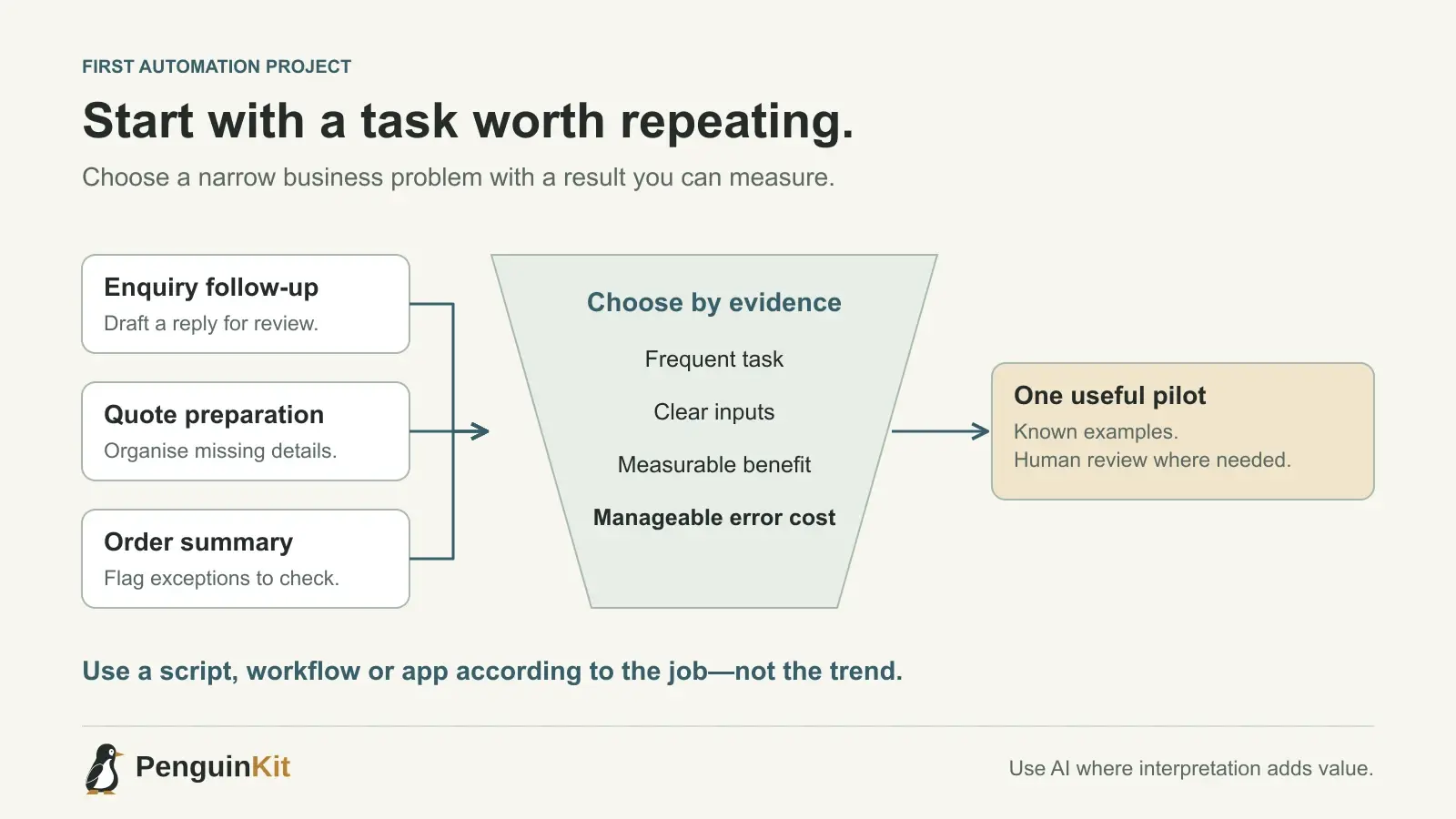
A service business receives enquiries by email, copies details into a spreadsheet and checks the same information again before preparing a quote. The owner wants to “use AI,” but the useful first project may be much smaller: collect complete enquiries, identify missing information and prepare a draft for review.
The strongest first automation starts with a repeated task and a recognizable result. Here is how to choose one, with fictional examples relevant to founders and small businesses in the US, UK and Australia.
Start with the work, not the technology
The UK's Business Data Survey 2026, based on fieldwork between October 2025 and January 2026, examines business AI use and integration. Australia's National AI Centre also maintains an AI adoption tracker covering SME applications, outcomes and responsible practices. These are useful context for practical business adoption, not forecasts of demand for your particular product.
To choose your own project, watch a task happen. Record its trigger, inputs, decisions, output and exceptions. Ask the person doing it where time is lost and which mistakes would be expensive. A vague goal such as “automate operations” becomes actionable when you can describe one complete journey.
For example: “When a new enquiry arrives, check whether the location and requested service are present, then prepare a staff-review draft.” That is a much clearer starting point than “build an AI sales agent.”
Five useful first automation ideas
1. Enquiry completeness checker
A fictional UK maintenance company receives requests with missing postcodes, photos or descriptions. The workflow identifies missing fields and prepares a clarification draft for staff. It does not promise a price or book an appointment automatically.
Start by checking a small batch of fictional enquiries. Include a complete request, one missing a location and one describing a service the company does not offer. The useful outcome is less repetitive sorting with a clear exception queue.
2. Quote preparation assistant
A fictional Australian agency repeatedly assembles proposals from agreed service packages. A first version prepares a draft from approved inputs and flags missing scope. A person checks price, commitments and recipient before sending.
Do not ask the model to invent commercial terms. Keep rates and package limits in an approved source, and make the output show which inputs need confirmation. An editable draft is often a better first milestone than autonomous selling.
3. Order exception digest
A fictional US online retailer checks several systems for orders needing attention. The automation gathers a daily list of missing tracking details, delayed items and inconsistent states, with links to the source records.
Begin with read-only access. The first useful result is an accurate exception list, not automatic refunds or customer promises. Include a check that one order appearing in two systems is not counted as two separate incidents.
4. Weekly project-status draft
A small consultancy wants a concise account of completed tasks, blockers and upcoming work. The workflow reads an agreed project board and produces a draft summary for the delivery lead.
Require links to the source tasks and distinguish “planned” from “completed.” Test it against a week containing a reopened task and an unresolved blocker. A well-written summary that changes the facts is not a successful automation.
5. Local document-preparation utility
A founder regularly renames exported reports and places them into a consistent folder structure. A local utility can preview proposed changes, detect collisions and write a simple activity report.
This may not need a hosted app, a subscription or an AI model at runtime. If the rules are deterministic, a script may be enough. Protect originals until the intended behaviour has been checked, especially when operations affect existing files.
Score ideas before selecting one
Use a simple comparison rather than guessing which workflow sounds most impressive. Consider frequency, current effort, input consistency, reversibility and the cost of a mistake. Measure your own baseline; there is no universal savings percentage.
| Question | A good early sign |
|---|---|
| Does it happen regularly? | You can observe real repetitions |
| Are the inputs accessible? | There is an approved source or sample |
| Can you recognize a correct result? | A person can check it quickly |
| Can an error be contained? | Drafts or previews precede external changes |
| Is someone responsible for exceptions? | Failures have an owner and next action |
Avoid starting with a high-impact decision just because it is repetitive. Payments, employment decisions and sensitive customer information need safeguards appropriate to their consequences. A first project should help you learn the workflow without making errors difficult to reverse.
Choose a script, workflow or app deliberately
Use a script when a person can run a narrow task with clear inputs. Consider a workflow platform when the value is connecting existing services through repeatable triggers and actions. Build a hosted app when people need a persistent interface, shared records or account-based access.
These categories can overlap. A workflow may call a small script, and an app may use a background process. Choose the simplest combination that supports the task, including its failure cases. See script, automation or app: where should you start? for a more detailed comparison.
AI is useful for interpreting varied language or drafting a response. Fixed rules are often more suitable for totals, required fields, identifiers and state changes. Combining the two can be clearer and cheaper than asking a model to decide everything.
Write a foundation brief for the first milestone
Describe the process in ordinary language. Include where it starts, what it reads, what it produces and what a person must approve. Note whether it should run locally or on a schedule; deployment is a choice, not a compulsory feature.
We receive service enquiries by email. Staff need to know whether each message
includes a service type, location and a useful description. Prepare a review
list with missing details and a draft follow-up. Do not send messages or quote
prices. Staff approve the next action. Start with fictional sample enquiries
and report how incomplete, duplicate and unsupported requests are handled.
The foundation can leave minor wording and later enhancements open. It should settle the major decisions that affect access, data handling, architecture and whether the result is safe to use.
Check the business result before expanding
Compare a small set of outputs with the existing manual process. Record preparation time, correction time and missed exceptions. Count failed or duplicated actions as part of the result, rather than measuring only the fastest successful run.
Keep a clear way to pause the workflow and handle work manually. If the first milestone helps, add one capability at a time. For integrations involving an assistant, read how to connect AI tools safely with MCP.
PenguinKit helps turn a rough workflow idea or existing brief into a clear project foundation and build guidance. Start with the task you want to improve. You do not need to arrive with a framework choice or a complete technical specification.
Give your idea a clear starting point.
Bring an idea or an existing brief. PenguinKit helps you shape a project foundation you can review, refine and build from.
Start your project