
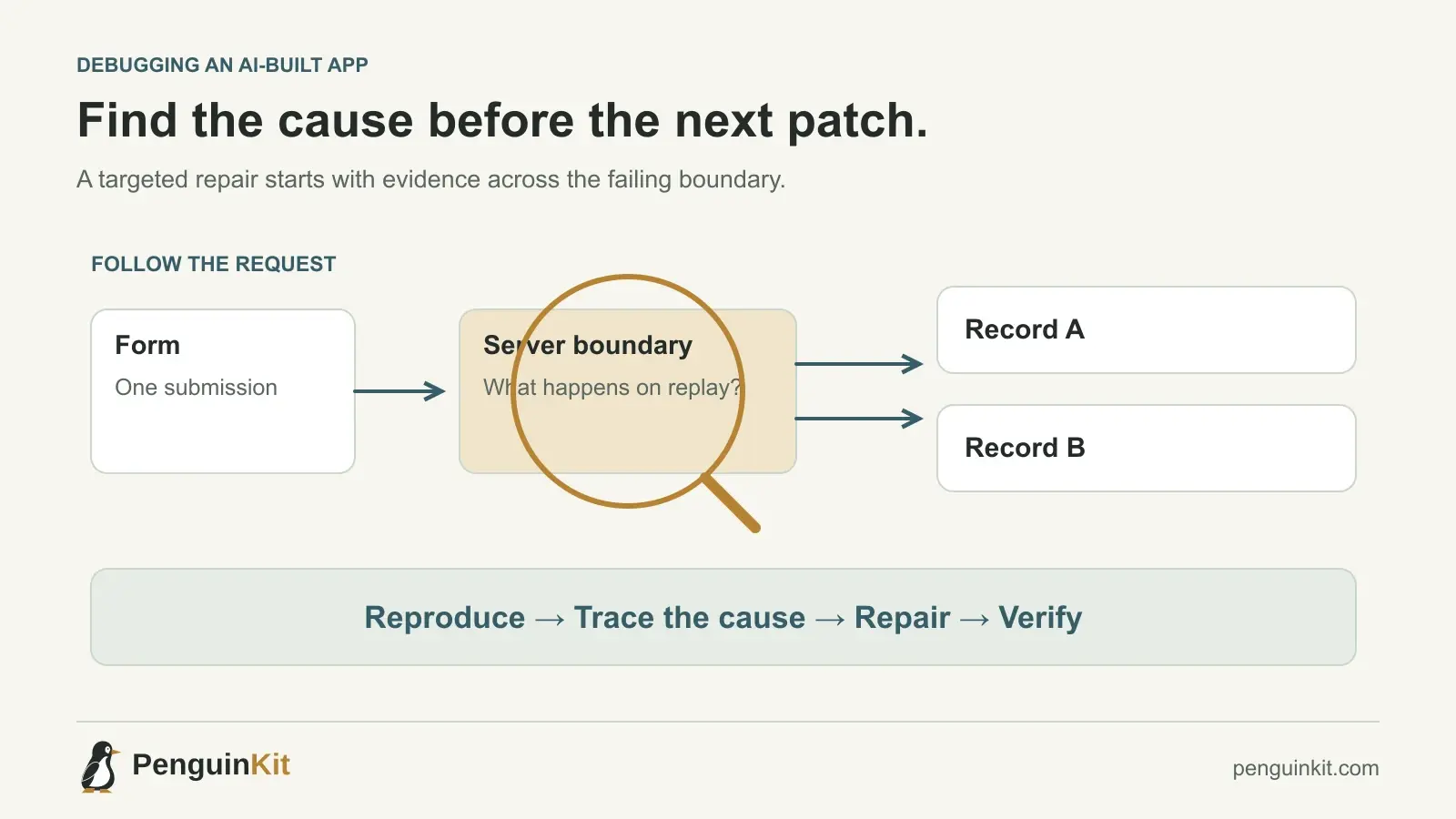
To fix a vibe-coded app, preserve the current work, reproduce one failure and trace it through the relevant layers before changing code. Repair the smallest supported cause, add a meaningful regression check and verify the affected user journey. A messy codebase does not automatically require a rewrite.
The first decision is whether you have a broken screen, a broken contract between components or a broken product rule. Those problems can look similar to a user but need different corrections. Asking an AI agent to “fix everything” makes it harder to find out which one you have.
Preserve a recovery point before investigating
Keep the current changes and identify the last version you know worked. If the project uses Git, inspect the working tree and save unrelated work before reverting anything. A known-good commit can help compare behavior, but it is not automatically a safe rollback for a changed database.
Protect valuable data separately. Before running a migration, deletion or corrective script, understand the target environment and the recovery method. Use a local or test environment with suitable synthetic data when possible.
If the defect involves exposed data, incorrect charges or destructive actions, contain the affected behavior while you investigate. A narrow temporary pause can be more responsible than repeatedly patching a live failure.
Write down one reproducible failure
Replace “the app is buggy” with a short account of the behavior:
Environment: local test app, member account.
Action: submit one expense, then click again before the first response.
Expected: one saved expense and a clear pending state.
Actual: two saved expenses appear after refreshing.
Evidence: two requests and two different record IDs.
This describes a duplicate-submission problem. It does not yet prove the frontend is the only cause. A disabled button can reduce accidental clicks, but a repeated network request may still reach the server through retries or another client.
OpenAI’s coding prompt guidance emphasizes reproduction steps, relevant code, constraints and verification when asking an agent to fix a bug. Provide those inputs before asking for a patch.
Trace the failure across the boundary that matters
Start where the symptom appears, then follow the actual request or state change. For a web app, useful evidence may come from the screen, browser network panel, server handler, database transaction and background worker. A local script needs a different path: invocation, input parsing, transformation and output.
Ask a focused question at each boundary:
- Did the client send the intended input once or more than once?
- Did the server authenticate the user and check ownership?
- Did the write commit, fail or complete with an uncertain response?
- Does the later read return the saved state?
- If work is asynchronous, which job and version produced the result?
Record what you know and what remains a hypothesis. “The database is slow” is not a diagnosis unless timing evidence supports it.
Decide what kind of defect you have
Presentation or local state
The saved record is correct but the interface shows an old value. Investigate refresh ordering, cache behavior and how the client updates its state. Rebuilding the database layer is unlikely to be the first useful response.
Interface mismatch
One component sends a field the next component does not expect. Trace the request and response shape, including optional values, status codes and version assumptions. Reconcile the contract and check both sides.
Business-rule defect
The implementation does what the code says but not what the product requires. A manager sees another team’s records, or approval happens before a required review. Clarify the intended rule, then enforce it at the appropriate trusted boundary.
Environment or provider failure
The same code behaves differently because configuration, credentials, a service limit or an external dependency changed. Verify the environment before rewriting working application logic.
More than one category can apply. The purpose of classification is to choose the next investigation, not to force every defect into one box.
Use a diagnosis prompt before a repair prompt
Investigate the duplicate expense submission described below.
Trace the form, request handler and persistence path.
Explain the supported causal path with file references.
Separate confirmed observations from hypotheses.
Do not change code, configuration or data yet.
Then authorize the bounded correction:
Implement the smallest correction for the confirmed cause.
Preserve existing access rules and unrelated changes.
Check one normal submission, two rapid submissions and a replayed
request. Confirm that the same logical submission is not duplicated.
Report actual results and anything you could not verify.
These prompts are useful because they separate finding the cause from choosing a patch. They do not require a lengthy ceremony for an obvious typo.
Make the regression check protect the real rule
For the expense defect, checking that the button becomes disabled is insufficient if the server can still create duplicates. The check should exercise repeated submission at the boundary where duplication must be prevented.
Include a normal case so the repair does not block valid work. If the implementation uses a submission identity, verify that a retry reuses the intended result while a genuinely new expense can still be created.
Review changes to tests as well as code. Updating an expectation is appropriate when a requirement deliberately changes. Removing the failing case so a defect disappears from the report is not a successful repair.
Verify the journey after the targeted fix
Run the focused regression check, then relevant broader checks for the affected area. Follow the user action through saving and refresh. If there is a queue, verify the continuation and final result, not just the initial “accepted” response.
Record which environment was checked. A passing local result does not establish that production credentials, migrations or background workers are correct. Deploy through your normal release process and check the live behavior separately when authorized.
If the project lacks a repeatable starting command or usable test data, restoring that development foundation may be the first milestone. It gives later repairs a stable place to be verified.
When a larger refactor is justified
A refactor becomes useful when evidence shows the same design defect across several paths, changes cannot be isolated or the current structure prevents meaningful verification. Explain the affected boundary and retain a working transition path.
A complete rewrite requires a stronger case: which valuable behavior will be preserved, how data moves, how completion is checked and how users avoid a disruptive switch. Rewriting because code looks unfamiliar can discard working behavior while keeping the original product ambiguity.
PenguinKit can help organize the intended foundation and next milestones. It does not automatically diagnose or repair your repository. Give the plan and observed failure to the implementing tool, and keep the source evidence in control of the fix.
Common questions
Can AI repair an app it originally generated?
It can help investigate and change the code, but previous authorship does not prove that it remembers the current implementation. Supply the current repository, reproduction and constraints, then verify the change.
Should I restart from scratch when fixes keep failing?
First check whether the diagnosis is supported and whether the regression test covers the actual rule. Repeated symptom patches are a reason to improve investigation, not automatic proof that all existing work must be discarded.
How do I know the fix is complete?
Use observable checks for the original failure, ordinary use and relevant side effects. Distinguish those executed results from work merely proposed in a plan. Read how to test the first milestone for a practical starting point.
Give your idea a clear starting point.
Bring an idea or an existing brief. PenguinKit helps you shape a project foundation you can review, refine and build from.
Start your project