
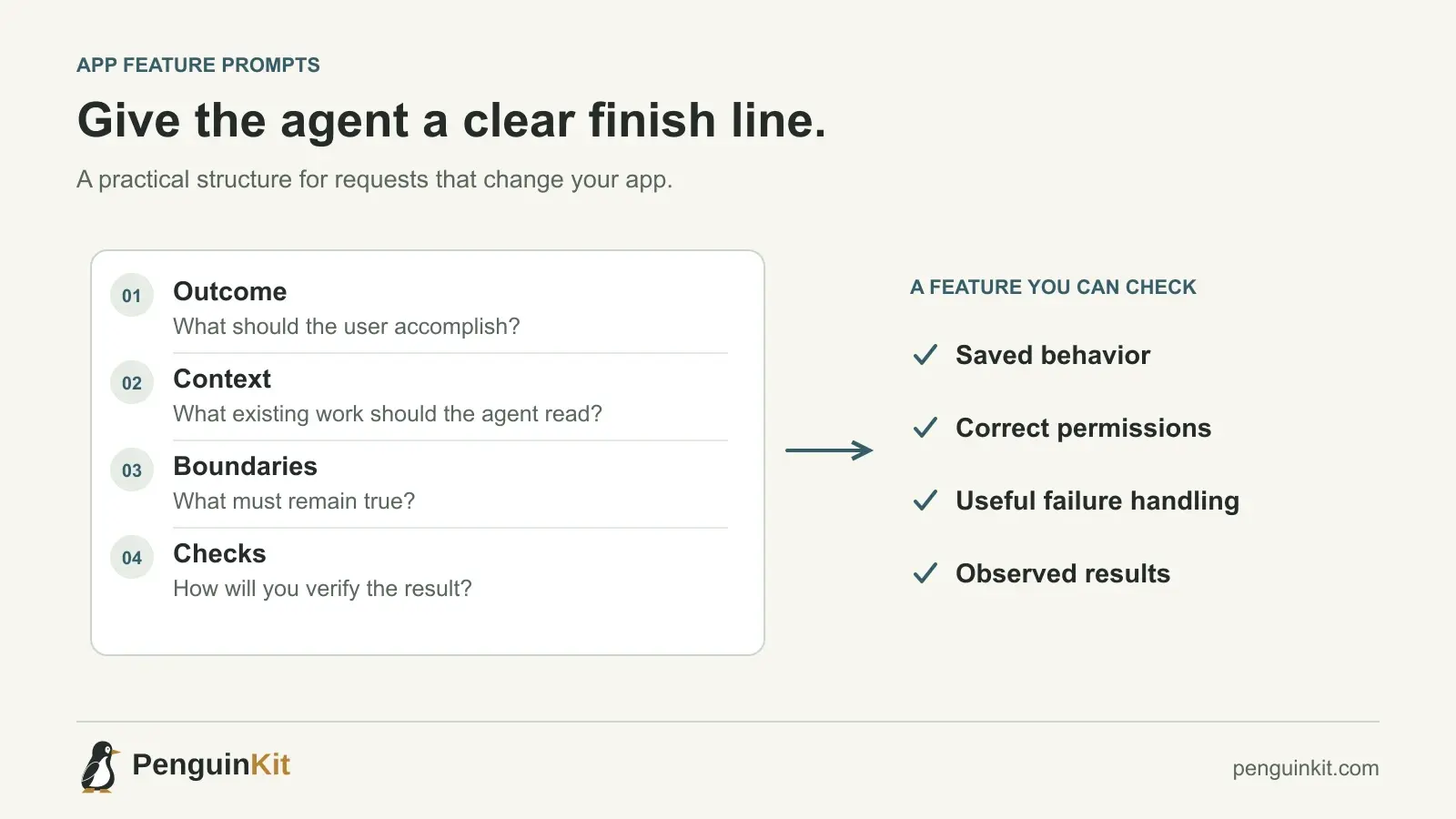
An effective vibe coding prompt describes the behavior you want, the context that matters, the boundaries that must hold and the check that will show the work is complete. It does not need a dramatic role instruction or a page of technical terminology.
The biggest improvement is usually moving from “build this screen” to “make this user action work correctly.” A screen is only one part of a feature. The saved data, permissions, failure behavior and return visit often decide whether the feature is usable.
Start with the behavior, not the technology list
“Build a dashboard with React and a database” gives an agent a visual direction but little product meaning. It does not explain which person uses it, what they need to accomplish or what they must not see.
A better starting point is:
Build the first expense-submission flow for our existing team app.
A member enters an amount, date and short description.
They can see their own submissions. A manager can review
submissions only for the team they manage.
The first version does not move money or connect to a bank.
Now the agent has an outcome, two roles and a clear exclusion. You can discuss a suitable implementation without accidentally commissioning a payment platform.
OpenAI’s prompting guidance recommends supplying the goal, relevant context, desired output and important boundaries when they help the task. Those are useful ingredients, not a compulsory form to fill in for every minor change.
Use four parts for a consequential app feature
1. Outcome
Describe what a person should be able to do. Include the state that should exist after the action. “The member sees a saved submission after refreshing” is more precise than “show a success message.”
2. Relevant context
Point to the current route, module, schema or project document when you know it. If you do not, ask the agent to locate the implementation and explain the path before making changes. Do not invent filenames to make the prompt sound technical.
3. Boundaries
Name the requirements whose violation would make the result wrong: who owns a record, whether money can move, what data must remain untouched and which existing interfaces should be preserved.
4. Observable checks
Describe a successful action, an important failure and a permission boundary. The implementer can turn these into appropriate automated or manual checks for the actual stack.
A copyable implementation prompt
Use this structure when a change affects several parts of the app. Replace the bracketed content with your project facts:
Outcome:
[Who needs to do what, and what should be saved or produced?]

Current context:
[Relevant project documents and implementation to inspect.]
Reuse existing patterns where they fit. Preserve unrelated work.

Boundaries:
[Access rules, excluded behavior and existing contracts to retain.]

Checks:
[Normal behavior, consequential failure and access boundary.]

First inspect the current code and report anything that materially
changes the approach. Ask about consequential ambiguity; propose
ordinary implementation defaults clearly. Implement the authorized
change, then report the actual checks and remaining issues.
For a single text correction, you do not need this much structure. Scale the request to the consequence of the work.
Separate investigation from implementation when the cause is unknown
If the app is broken, a feature prompt is the wrong starting point. Ask the agent to establish what is happening:
Submitting an expense sometimes creates two records.
Inspect the form submission and server write path.
Identify a reproducible cause and explain which evidence supports it.
Do not change code during this investigation.
After you have a supported diagnosis, authorize a targeted fix with a regression check. This keeps an agent from building a workaround around the visible symptom. Our guide to repairing a vibe-coded app develops that workflow.
Make meaningful questions welcome
“Never ask me questions” can force an agent to guess the decisions you most need to own. “Ask me about every detail” can turn a small feature into an exhausting interview.
A more useful instruction is:
Ask when the answer changes ownership, safety, the main workflow or an external commitment. Propose a simple starting option for ordinary implementation details and explain important assumptions.
For the expense feature, the agent may need to know whether managers can approve their own expenses. It probably does not need you to choose the spacing between buttons before designing the submission boundary.
If you do not understand a choice, ask which requirement it affects, what the practical alternatives are and what would justify changing it later. A helpful explanation connects the decision to your project rather than ranking tools in the abstract.
Give visual work both appearance and behavior
A screenshot can communicate layout, hierarchy and style. It cannot reliably communicate saving, keyboard behavior, loading states or access rules.
For a submission screen, add what should happen while the request is pending, what an error should preserve and how the user knows the record actually saved. Ask the agent to reuse your app’s components and navigation before introducing another visual system.
Cursor’s documentation describes attaching specific context and images to prompts. Use those capabilities to point to the relevant screen or file; do not assume the agent has inspected a reference simply because it exists somewhere in the repository.
Review the evidence, not the completion language
After implementation, ask for:
- A short account of the behavior changed.
- The important files or boundaries involved.
- Commands or manual checks actually performed and their results.
- Any failures, skipped checks or unresolved assumptions.
“Tests added” and “tests passed” are different statements. “The deployment command is documented” and “the app is deployed” are different outcomes. Keeping those distinctions clear helps you decide the next step without reading every line of code.
If a test was changed, check why. Tests may legitimately change when the requirement changes. They should not be weakened merely to hide a defect that remains in the implementation.
Use PenguinKit as reusable project context
PenguinKit helps organize your idea, consequential choices, proposed technical approach and build milestones before you hand work to an AI tool or developer. It supplies planning documents and starting instructions; you still need to provide the relevant files to the tool and verify the implementation.
That gives your prompts a stable reference. Instead of repeating your whole product idea, you can name the current milestone, attach its relevant scope and checks, and explain what changed since the plan was written. Read how to plan a vibe coding project with PenguinKit for the planning workflow.
Common questions
Is there one best prompt for Cursor, Claude Code and Codex?
There is no universal prompt that guarantees the same result across tools and projects. Outcome, context, boundaries and checks form a useful portable structure. Use each tool’s current documentation for file context and controls.
Should I tell the AI which stack to use?
Preserve a deliberate existing choice. For a new project, describe your constraints and ask for a suitable proposal with its tradeoff. A stack list alone does not define the app’s behavior.
How detailed should my first prompt be?
Include the facts that change the approach. Leave minor details for implementation, but state consequential permissions, destructive actions and exclusions early.
Give your idea a clear starting point.
Bring an idea or an existing brief. PenguinKit helps you shape a project foundation you can review, refine and build from.
Start your project