
The Silent Database Catastrophe
In the excitement of rapid vibe coding, it feels intoxicating to prompt an AI: "Add a team membership feature where workspaces have owners and editors."
Within thirty seconds, the AI edits three Prisma or Drizzle schema files, runs a destructive migration script, rewrites your API routes, and presents a shiny new UI. Everything looks great in your local test environment.
Two days later, you push to production or invite your first pilot users. Suddenly, existing user accounts are unlinked. Foreign key constraints fail silently. Null values populate required columns, and your production database refuses to start up after a restart because migration versions have diverged.
Database errors are fundamentally different from front-end glitches. If a CSS button renders in the wrong color, you can patch it in five seconds. If an AI tool drops a database column or corrupts a relational foreign key, you lose customer data permanently.
Here is how to protect your database while maintaining the speed of vibe coding.
Why AI Models Struggle with Database Migrations
Large language models excel at producing localized code, but they are notoriously reckless with relational state. The primary reasons AI models cause database havoc include:
1. Inability to Perceive Existing Production Data
AI models view database schemas as static code definitions, like a TypeScript interface. In code, you can easily rename full_name to name with zero consequences. In an active SQL database with 5,000 users, renaming or deleting a column without a phased migration destroys all existing records in that column.
2. Rewriting Past Migration Files In-Place
When an error occurs, an AI assistant often opens an older migration file (such as 20261001_initial_schema.sql), edits the SQL query inside it, and runs db push or prisma db push. If that migration was already applied to staging or production, modifying past migration files corrupts the migration history table (_prisma_migrations or schema_migrations), permanently breaking automated CI/CD deployments.
3. Overusing Nullable Types to Avoid Fixing Logic
When an AI model runs into a database constraint violation (like null value in column "organization_id" violates not-null constraint), its reflexive reaction is almost always to remove NOT NULL or strip out the foreign key constraint entirely. Over time, your database devolves into a lawless document store filled with orphaned rows.
| Bad AI Habit | Why the AI Does It | Real-World Consequence | Safe Alternative |
|---|---|---|---|
| Editing applied migrations | Easier than writing an ALTER TABLE statement. | Production deployment crashes on checksum mismatch. | Always create a new sequential, timestamped migration file. |
| Dropping constraints | Quickest way to silence a runtime insert error. | Orphaned records and corrupted relational integrity. | Fix the application query to provide the required foreign key. |
Destructive db:push | Synchronizes local state without managing migration files. | Drops columns and tables containing real data. | Use declarative migration tracking with rollback plans. |
| Manual schema hacking | Modifies tables directly in Supabase or pgAdmin. | Local development diverges from production schema. | Every schema change must originate from checked migration code. |
The 4 Golden Rules of AI Schema Planning
To keep your data safe and your application stable, enforce these four engineering rules whenever you build database-backed applications with AI tools.
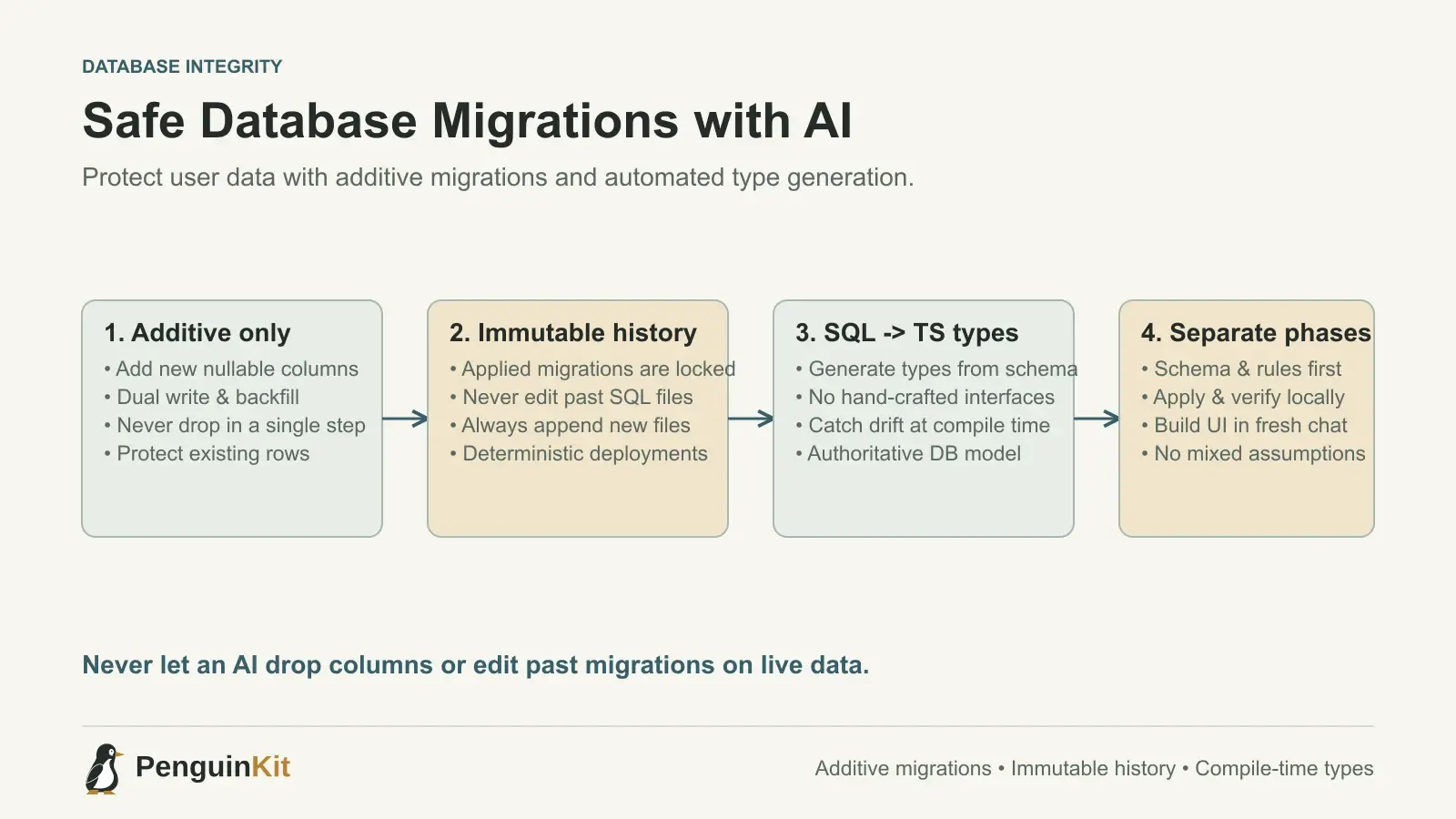
Rule 1: Additive-Only Migrations
Never permit an AI coding assistant to delete or rename existing columns in a single step. All database changes must follow an additive-only lifecycle:
- Phase 1 (Add): Add the new column as nullable or with a safe default value.
- Phase 2 (Dual Write): Update the application to write to both the old and new columns.
- Phase 3 (Backfill): Backfill historical data from the old column into the new column.
- Phase 4 (Deprecate): Once verified across production traffic, safely remove references to the old column.
If you prompt an AI to rename a column, explicitly specify:
"Do not drop or rename
account_id. Add a new columnworkspace_id, write a backfill query to copy values, and keepaccount_idintact for backwards compatibility."
Rule 2: Never Let the AI Edit Past Migrations
Treat applied migration files like immutable historical records. Once a migration has been committed to version control and run against any environment, it must never be altered.
If a schema change needs an adjustment, the AI must create a new migration file:
-- supabase/migrations/20261015_add_workspace_role.sql
-- Additive migration. Do not edit past migration files.
ALTER TABLE public.workspaces
  ADD COLUMN IF NOT EXISTS tier text NOT NULL DEFAULT 'standard';

CREATE INDEX IF NOT EXISTS workspaces_tier_idx
  ON public.workspaces(tier);
By ensuring that migrations only move forward, your staging and production environments will always replicate your local development state deterministically.
Rule 3: Generate Types from SQL, Not SQL from Types
A frequent mistake in vibe coding is letting an AI model hand-craft TypeScript interfaces that mirror the database. Inevitably, the TypeScript interface drifts from reality—a field marked required in TypeScript might actually be nullable in PostgreSQL, leading to unhandled runtime exceptions.
Always configure an automated schema type generator:
# For Supabase PostgreSQL
npx supabase gen types typescript --local > lib/database.types.ts
Instruct your AI agent:
"Do not manually write database interfaces. Import database types exclusively from
@/lib/database.types.ts. If the schema changes, wait for me to regenerate the types before updating application queries."
This turns your database schema into the authoritative single source of truth for the entire application.
Rule 4: Separate Schema Design from UI Prompts
Never bundle complex database alterations into the same prompt as UI redesigns. When an AI attempts to design a database schema, write API routes, and construct a React dashboard all in one go, it cuts corners on database constraints to make the UI work faster.
Divide your work into two distinct phases:
- Phase A (Data Architecture): Prompt the AI to produce only the migration file and validation schemas (e.g., Zod). Review the SQL schema manually. Check that foreign keys have appropriate
ON DELETEbehavior (such asCASCADEorRESTRICT). - Phase B (Application Features): Once the migration is verified and applied locally, open a fresh chat context to build the user interface using the established schema.
Summary Checklist Before Launch
Before you onboard users or accept payments, run this quick database safety check:
- Every table has a primary key (
id uuid DEFAULT gen_random_uuid()orbigserial). - Foreign keys explicitly define
ON DELETE CASCADEorON DELETE RESTRICT. - All critical queries have corresponding database indexes (e.g., searching by
user_idorcreated_at). - Migration files apply cleanly from scratch on an empty database without errors.
- Automated backups are enabled and scheduled on your hosted database provider.
Planning your data model carefully before generating front-end code prevents the painful rewrites that derail so many vibe-coded projects.
To ensure your application is ready for real traffic, check our vibe-coded app checklist before your first users and learn how to turn an AI prototype into a maintainable app. If you want an unambiguous, production-grade architecture specification before writing a single line of code, generate your project kit with PenguinKit.
Give your idea a clear starting point.
Bring an idea or an existing brief. PenguinKit helps you shape a project foundation you can review, refine and build from.
Start your project