
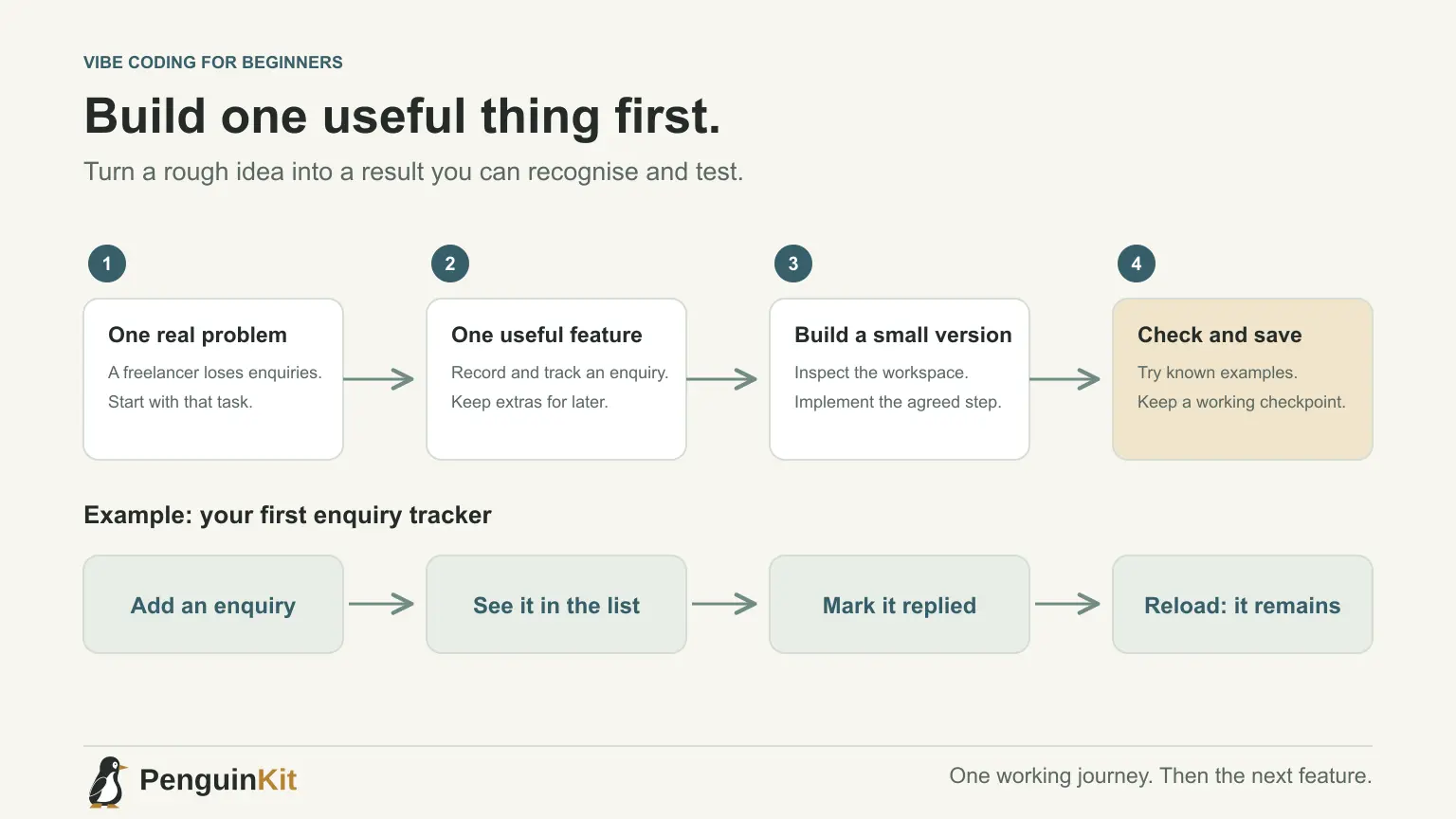
Vibe coding your first app can feel surprisingly easy for the first few minutes—and confusing as soon as the AI asks about a database, creates several files or tells you to run a command. A useful starting point is one small result you can recognise, rather than a request for an entire business platform.
This guide is for beginners who have an idea but do not know what to ask an AI coding tool first. You do not need a perfect prompt or a complete specification. You need a clear purpose, a manageable first task and a way to check what actually happened.
Choose a problem you can test yourself
Start with someone doing a real task. “An app for freelancers” is broad. “A freelancer can record an enquiry and see which enquiries need a reply” gives you something to build and inspect.
For this example, imagine a simple enquiry tracker. Its first version has three actions: add an enquiry, view the list and mark an enquiry as replied. Payments, calendar integrations and automatic emails can wait.
Choose an idea where you can prepare sample information and recognise a correct result. Explore these first-project ideas if you have not chosen a problem yet.
Write a starting note, not a perfect specification
Use five short lines:
User: An independent freelancer.
Problem: Enquiries get lost between messages and follow-up notes.
First result: Add an enquiry and see whether it needs a reply.
Data: A name, a short note and a reply status; use fictional examples initially.
Later: Automatic emails, team accounts and calendar connections.
If you do not know the technical approach, say so. An AI tool can discuss a suitable foundation before implementing it. A prototype for your own laptop and a public app for several users require different decisions.
The project brief guide provides a fuller template when you need one. Keep unresolved choices visible rather than filling them with confident guesses.
Ask for an approach before asking for all the code
Your first prompt can be straightforward:
I am building my first app. Use the starting note below to suggest
the simplest suitable first version. Explain unfamiliar terms briefly.
If essential information is missing, ask about that only.
Propose one small milestone and explain how I can check it.
Do not start implementing yet.
Read the answer for decisions, not impressive terminology. Where will the data stay? Is sign-in needed now? Which services require an account? What remains untested?
You do not need a long planning ceremony for a tiny change. However, an unclear first app benefits from agreeing on the approach before the tool creates a large implementation.
Build one visible journey first
For the enquiry tracker, a useful first milestone might let you add a fictional enquiry, display it and change its reply status. If persistence is part of the milestone, also check that the entry survives the agreed reload or restart.
Ask the builder to inspect the workspace before changing it. An existing starter project may already provide useful structure. Starting a second app inside it can make a beginner's next steps harder to understand.
Keep the implementation request bounded:
Implement the agreed enquiry-tracker milestone. Inspect existing files first.
Keep the change focused on adding, listing and updating enquiries.
Explain how to start it, then run the relevant checks.
Show what passed and tell me what still needs manual checking.
If a command is unfamiliar, ask what it does and where to run it. Keep passwords and private keys out of chat and source files.
Check behaviour instead of trusting a success message
Use a tiny checklist with known results:
| Action | Expected result |
|---|---|
| Add a valid fictional enquiry | One new entry appears |
| Mark it as replied | Its status changes correctly |
| Submit an empty required field | A useful message appears; no invalid entry is saved |
| Reload, if persistence was promised | The saved entry remains |
Ask for evidence of the checks the tool ran, then try the visible journey yourself. A running development server does not prove every feature works. A screenshot does not prove data was saved.
Save the working version before expanding it
Once the milestone behaves correctly, create a recoverable checkpoint. For a code project, this will often be a Git commit. Keep sensitive configuration outside version control and confirm what is included before publishing a repository.
Record the current working result and one next task. Add a filter or a second field next, rather than asking for five unrelated features at once. See how to manage AI coding context when the conversation starts to grow.
Avoid the most confusing beginner shortcuts
Do not connect real customer data simply to make a demo look realistic. Do not deploy an app just because the homepage looks good. Do not rewrite everything after the first error without understanding which part failed.
When something breaks, describe the exact action and observed result. The debugging guide explains how to turn that into a focused repair request.
Start with a foundation you can build on
Start your project with PenguinKit if you want to turn your idea into a clear summary, discuss important choices and prepare a project foundation before implementation. Your download provides planning and build guidance; your coding tool still needs to implement and verify the app.
A successful first step is modest: one useful journey that works, a saved version and a next task you understand.
Give your idea a clear starting point.
Bring an idea or an existing brief. PenguinKit helps you shape a project foundation you can review, refine and build from.
Start your project